Action Required for Early Azure Virtual Desktop Deployments - RC4 Azure Files for FSLogix will stop working
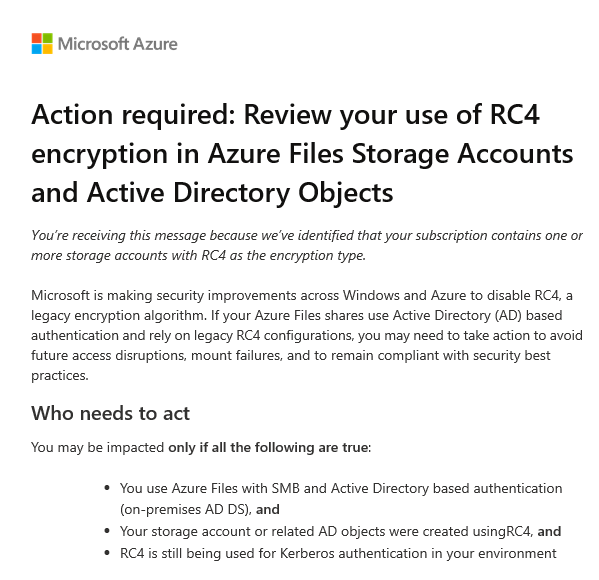
Early adopters of Azure Virtual Desktop (AVD) are facing an important security-related change that should not be ignored.
If you are using FSLogix profiles on Azure Files with Active Directory authentication- especially from early AVD deployments- this likely applies to you.
🔍 Background: What’s the issue?
Using Azure Files with FSLogix with on-premises Active Directory required complex PowerShell scripts (yes, those painful ones 😉). Early setups relied on RC4 encryption in a Kerberos context.
👉 The problem: RC4 is now considered outdated and insecure.
Microsoft is taking action and notifying customers:
❗ Starting July 2026, RC4 will be disabled by default in Windows
⚠️ What are the risks?
If your environment still relies on RC4, you may experience:
- ❌ Azure Files shares failing to mount
- ❌ AVD users unable to log in
- ❌ Authentication failures across your environment
👉 Worst case: A complete outage of your AVD environment while users cannot login or only with temporary profiles
👥 Who is affected?
You should review your setup if:
- You use Azure Files with SMB + on-prem AD DS
- Your storage accounts were created during early AVD/WVD deployments
💡 Why this matters
This change is not theoretical- it has a defined timeline.
👉 Recommended deadline: June 2026
If no action is taken:
- After Windows updates → Users may not be able to log in
- FSLogix profiles → May become inaccessible
🛠️ Remediation Steps
Prerequisites:
- A domain-joined machine
- Administrative privileges
- PowerShell access
- Required modules installed
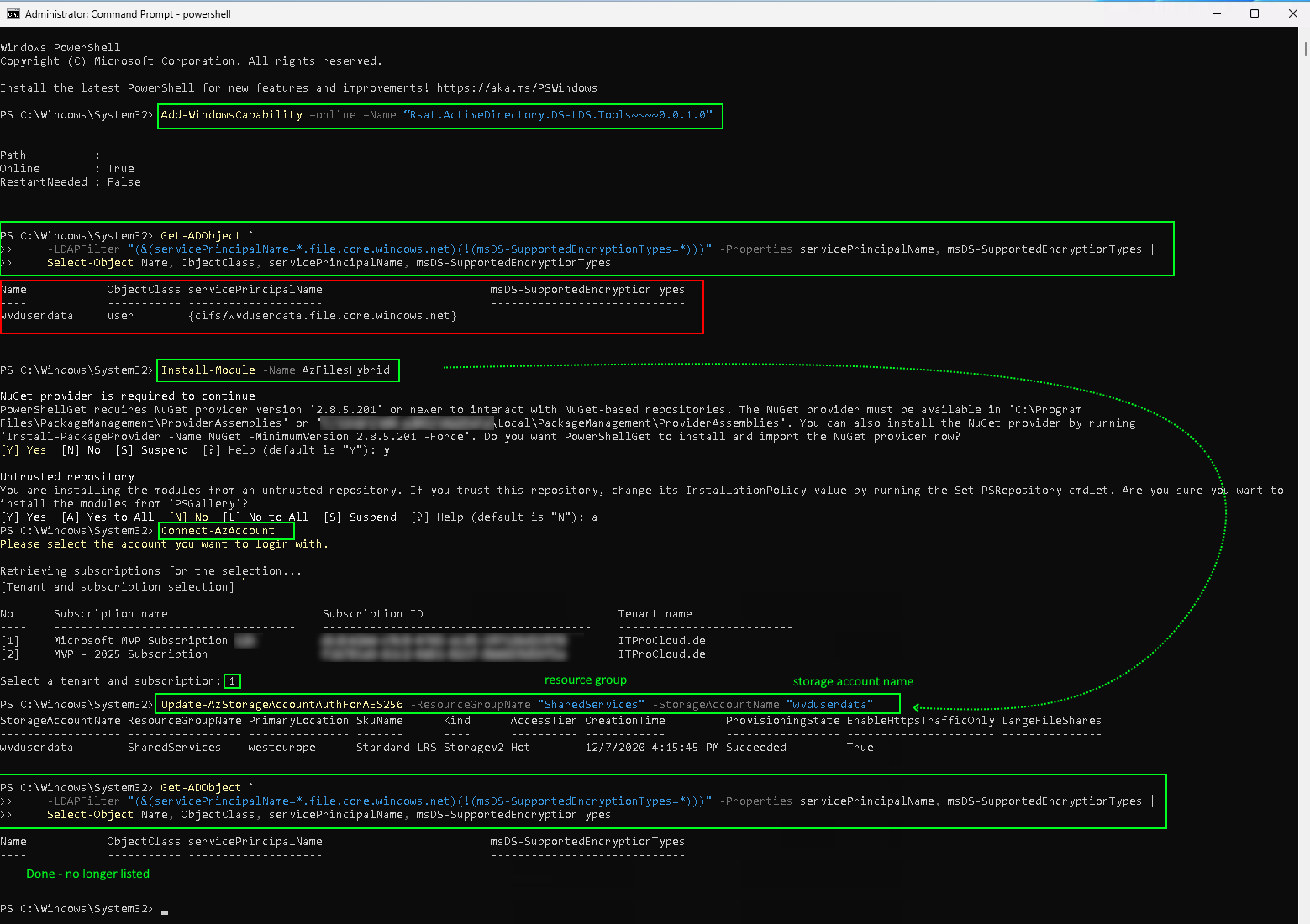
1. Install RSAT tools (if needed)
Add-WindowsCapability –online –Name "Rsat.ActiveDirectory.DS-LDS.Tools~~~~0.0.1.0"
2. Identify affected objects
Run the following command with access to AD:
Get-ADObject -LDAPFilter "(&(servicePrincipalName=*.file.core.windows.net)(!(msDS-SupportedEncryptionTypes=*)))" -Properties servicePrincipalName, msDS-SupportedEncryptionTypes | Select-Object Name, ObjectClass, servicePrincipalName, msDS-SupportedEncryptionTypes
👉 Result interpretation:
- ✅ Empty result → You’re good
- ⚠️ Entries found → Action required
3. Install AzFilesHybrid module
Install-Module -Name AzFilesHybrid
4. Connect to Azure
Connect-AzAccount
5. Update encryption to AES256
Run for each affected storage account (use your resource group name and storage account name):
Update-AzStorageAccountAuthForAES256 -ResourceGroupName "SharedServices" -StorageAccountName "wvduserdata"
👉 Adjust parameters to match your environment.
6. Verify remediation
Run the query again:
Get-ADObject -LDAPFilter "(&(servicePrincipalName=*.file.core.windows.net)(!(msDS-SupportedEncryptionTypes=*)))" -Properties servicePrincipalName, msDS-SupportedEncryptionTypes | Select-Object Name, ObjectClass, servicePrincipalName, msDS-SupportedEncryptionTypes
👉 Goal:
No results = successfully remediated ✅
🔗 Further Reading
Microsoft documentation:
https://learn.microsoft.com/en-us/troubleshoot/azure/azure-storage/files/security/files-troubleshoot-smb-authentication?tabs=azure-portal#azure-files-on-premises-ad-ds-authentication-support-for-aes-256-kerberos-encryption
🚀 Conclusion
This is not a “nice to have” fix-it is critical for the future stability and security of your AVD environment.
👉 Taking action early means:
- Avoiding outages
- Staying compliant
- Reducing last-minute pressure before the deadline